Equipment Rental Management / Paid template
Equipment Rental Management: Paid Template Help
Setup and usage documentation for the paid rental management template. The linked databases, formulas, warnings, and rate automation described on this page belong to the paid product.
Equipment Rental Management / Paid
Set up and use the paid template
This documentation applies to the paid template’s seven linked databases, rental workflows, availability calculations, and conflict warnings. Its built-in help guide provides more detail on fields, databases, and setup.
Using the free inventory register? Go to the separate Free Template Help page.
How to duplicate the paid template
After successful payment, open the template link delivered after your purchase.
These are two separate Notion templates. Purchasing Equipment Rental Management does not transfer records from the free Simple Equipment Rental Inventory Tracker. The paid template requires its own setup and data entry.
- Sign in to your Notion account.
- Open the main, top-level template page. Do not duplicate from an individual subpage.
- Click Duplicate or Start with this template, then choose your workspace.
- Open your copy, check the linked databases, and review sample records before entering equipment data in the paid template.
Duplicating the top-level page helps keep the template’s related content together. Notion’s public-page duplication guide explains the standard workflow.
Notion requirements and the first test booking
You need a Notion account and access to your workspace. The paid template’s core database records can be used on Notion’s Free account plan. This is a Notion subscription tier, not the free equipment register. Notion’s plan limits apply separately from the paid template purchase.
- Charts: Notion’s Free account plan allows limited chart access; the full preconfigured chart collection requires a paid plan. See Notion’s chart availability notes.
- Database automation: Notion says users on Notion’s Free account plan can use existing template automations, while creating or editing most database automations requires a paid plan. See Notion’s automation documentation.
- AI: optional, subject to your Notion plan and permissions. It is not included in the template price.
After duplication, test one rental with equipment, dates, a quantity, and a payment record. Confirm that availability, warnings, rental amounts, and the saved daily rate behave as expected in your workspace before entering live bookings.
If you are new to databases, Notion Academy is a useful place to learn views and relations.
Understanding the warning system
The full template’s rental item formulas flag potential booking conflicts based on the records you enter.
OVERLAPPED
The template guide describes this warning for a unique item with Total Inventory = 1 assigned to rentals with overlapping dates. Review both rentals and resolve the assignment before confirming.
OVERBOOKED
This warning flags assigned quantities above available inventory. For example, requesting five chairs when only three are available for the recorded dates needs a quantity or schedule change.
Equipment status can also trigger ARCHIVED or BAD warnings. Check whether an item should be assigned at all before changing or dismissing its warning.
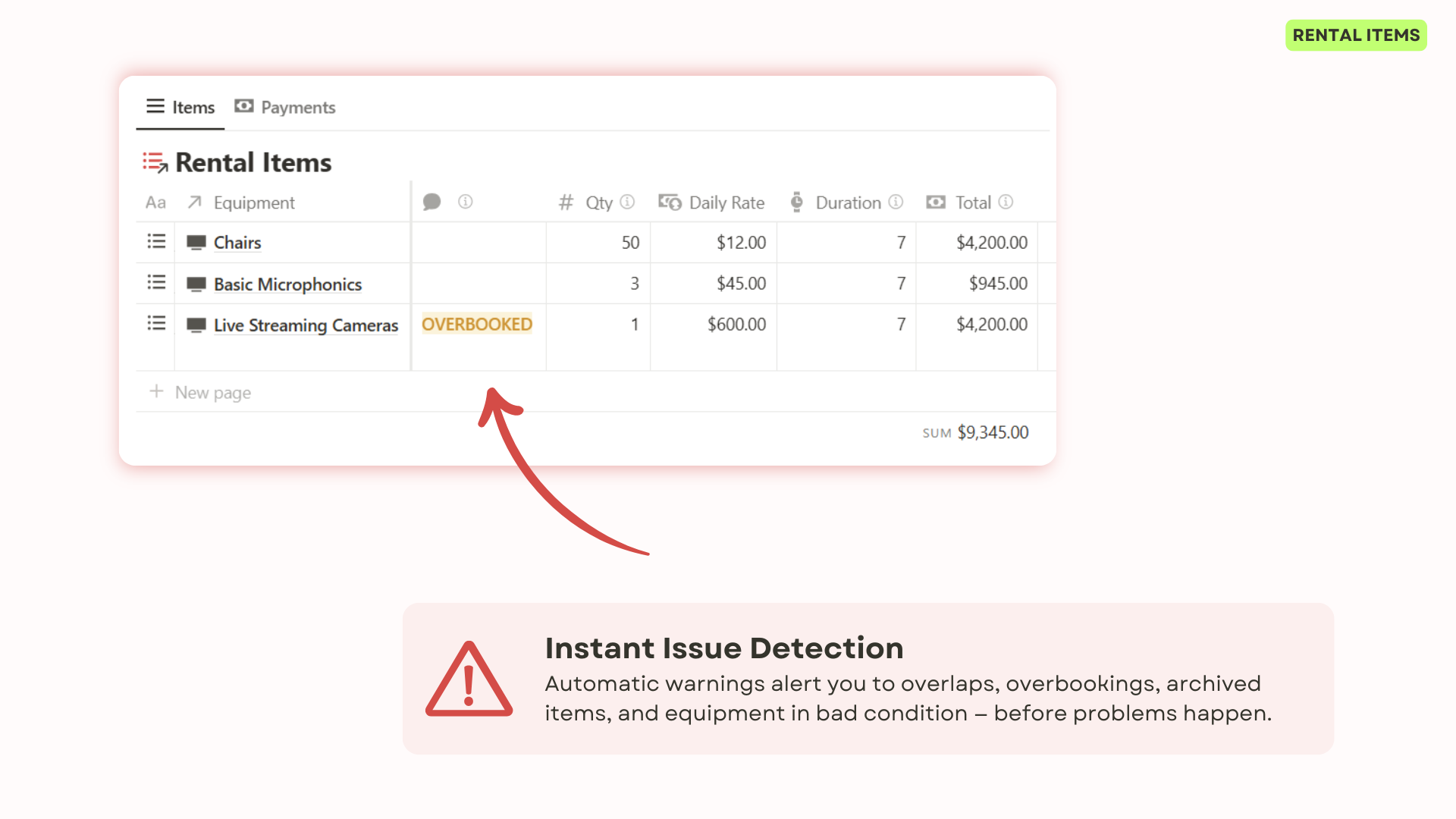
The double-booking guide explains a practical review process, including turnaround time and multiple units.
Historical pricing protection
The rate workflow uses database automation to copy the equipment’s daily rate into a rental item, so the rental can retain the rate agreed at booking rather than depend on a changing catalog rate.
- Add the equipment to a test rental item.
- Check that a daily rate has been copied into that item.
- Change the equipment’s catalog rate and verify that the saved rental rate remains unchanged.
- Review quantities, duration, discounts, and the resulting amount before confirming the booking.
Keep the agreed rate on each rental item. Check the automation’s active state and permissions after duplication. If it does not run in your workspace, enter and verify the rate manually, then consult the built-in guide.
This is record keeping inside Notion. Do not assume it creates legal invoices, performs accounting reconciliation, or collects payments.
Built-in help guide
The full template includes a help section with step-by-step instructions, database and field explanations, best practices, and tutorial videos.
Read the guide before changing core relations or formulas. Use a test copy for structural changes and verify a sample rental from booking through payment and return before using the changed workflow.
Using Notion AI with your records
If your Notion account has AI access, you can ask questions about the records it can read. The product screenshots show an inventory question and an AI response.
- Which equipment records are marked available?
- Which customers have upcoming rentals?
- Summarize the rentals linked to a particular item.
- Find records that need a closer availability review.
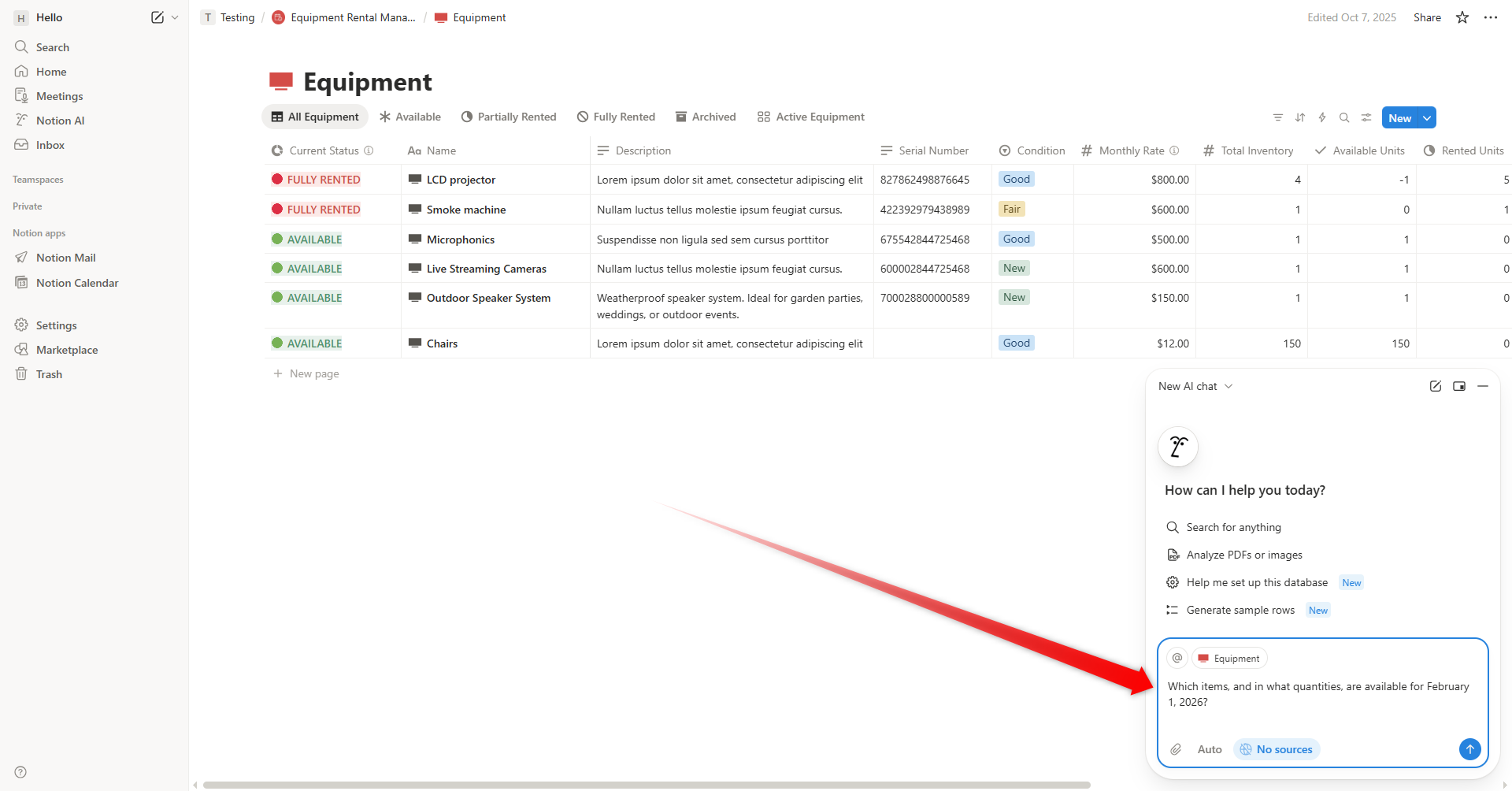
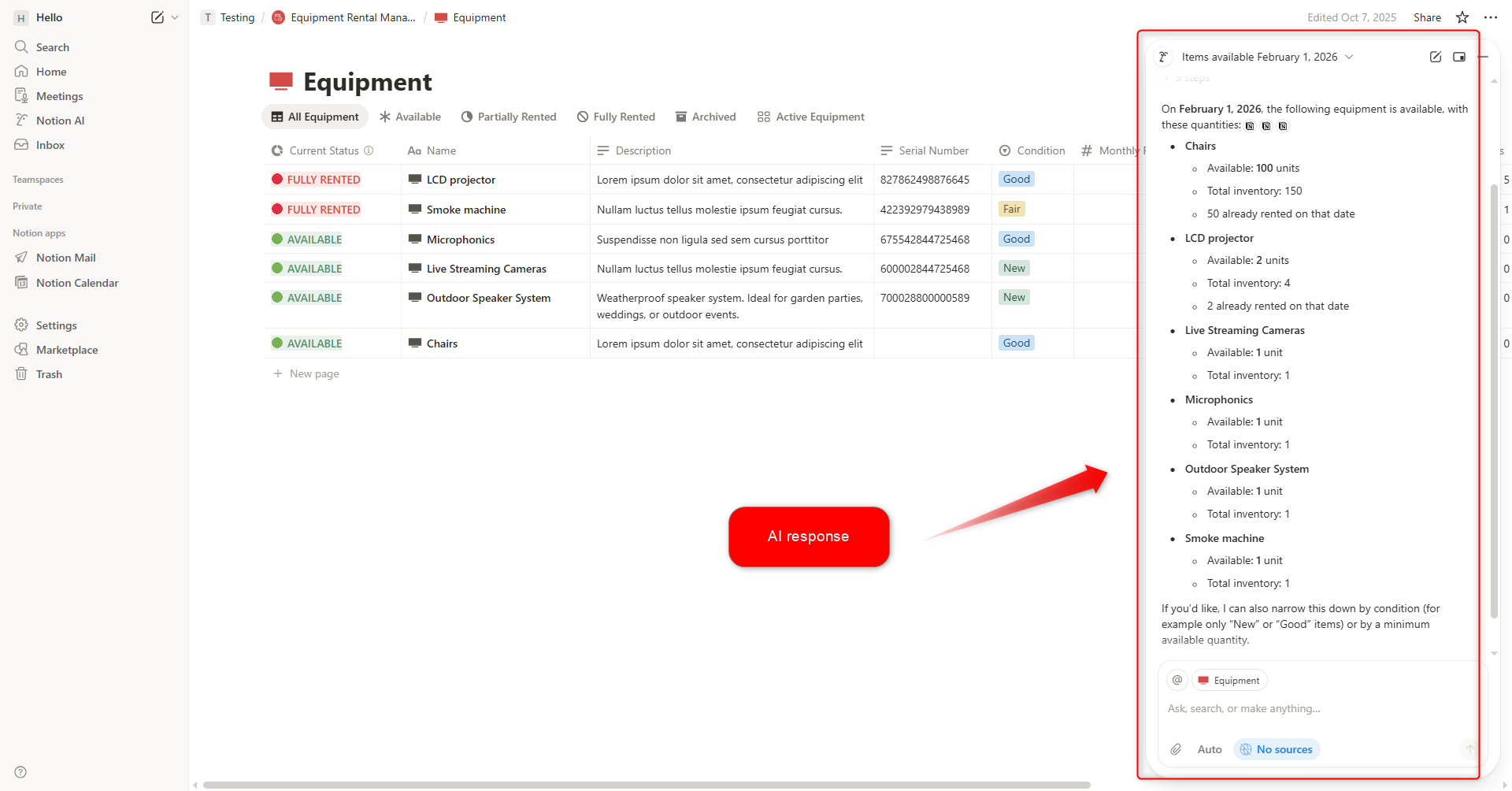
AI does not change the underlying availability formulas or guarantee that an answer is complete. Verify the linked records and warning fields before making a booking decision.
Access depends on your current Notion plan and workspace permissions. AI is optional and is not required to maintain the template’s databases.
When you need more than a template
Use the template while manually maintained Notion records fit your rental process. Reassess when customers need to book online, inventory must be reserved automatically, or your team needs specialist payment, location, or inspection workflows.
The creator also works on Rentarize, a separate rental software project from the creator. Review its current capabilities independently before choosing it. It is not an integration included with this template.
For a broader decision framework, read Equipment Rental Spreadsheet vs. Notion.
Product-specific notes are based on the template documentation and authentic screenshots. Notion’s plan rules are linked above and may change.
Ready to connect your rental records?
Explore the full Notion template and the product previews.